Download TikTok APK

- Updated
- Version 46.4.3
- Size 478.56 Mb
- Developer TikTok Pte. Ltd.
- Genre Social
- Google Play




If you are looking for TikTok APK for Android, this guide explains its main features, official download options, installation steps, and important safety considerations. EP Apk recommends using TikTok’s official website or Google Play to obtain a legitimate and up-to-date version.
App Information
| App Name | TikTok |
|---|---|
| Category | Social Networking |
| Developer | TikTok Pte. Ltd. |
| Platform | Android |
| Package Name | com.zhiliaoapp.musically |
| Price | Free to download; some features and purchases may cost money |
| Official Website | tiktok.com |
Note: App availability, features, and installation options may vary by country and device. Check the official store listing for the latest information.
What Is TikTok?
TikTok is a video discovery and creation platform built around content that interests you. Instead of relying only on people you already know, the app recommends videos based on your viewing activity and interactions.
You can explore comedy, gaming, music, sports, education, recipes, fashion, travel, technology, and many other topics. You can also follow creators, interact with their posts, and publish videos of your own.
The platform includes additional experiences such as LIVE streaming and TikTok Shop where these services are available. Its exact features depend on your region, account eligibility, and app version.
Key Features of TikTok APK
1. Personalized For You Feed
The For You feed recommends videos based on your interests and activity. As you watch, like, share, or skip content, recommendations can change to reflect what you appear to enjoy.
This personalized discovery experience helps you find new creators, useful tips, entertaining clips, and communities you might not have discovered otherwise.
2. Short Videos Across Different Categories
TikTok features a wide variety of short videos, including comedy sketches, gaming highlights, DIY projects, educational explanations, fitness advice, beauty tips, music performances, and lifestyle content.
You can browse videos from different creators, follow accounts that interest you, and use available discovery tools to explore new topics.
3. Built-In Video Editing Tools
You do not need a separate editing application to create every TikTok video. The app provides tools that help you record and refine clips directly from your phone.
- Record videos in multiple clips.
- Pause and resume recording.
- Trim, merge, and arrange video segments.
- Add text, stickers, and visual effects.
- Adjust your content before publishing.
The tools available to you may differ depending on your device, region, and app version.
4. Music, Sounds, and Creative Effects
TikTok offers a library of sounds and music, along with filters and effects that can help make videos more engaging. You can use supported sounds when creating content, subject to the platform’s music licensing rules and regional restrictions.
Sound availability can change, so a track that appears in one country or account may not be available everywhere.
5. Follow Creators and Join Communities
Following creators makes it easier to discover more of their content. You can interact with videos using available features such as likes, comments, and sharing.
Whether you enjoy entertainment, learning, sports, or creative projects, TikTok provides different ways to connect with content and people who share your interests.
6. LIVE Streaming
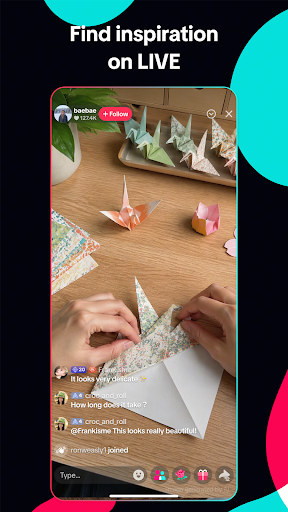
TikTok LIVE lets eligible creators broadcast in real time and interact with viewers. Depending on availability, viewers may be able to participate through comments and other live interaction features.
Starting a LIVE is subject to TikTok’s age requirements, account eligibility rules, and local availability. Not every account has access to every LIVE feature.
7. TikTok Shop
In supported markets, TikTok Shop allows users to discover products through videos, LIVE streams, and shopping features. Availability and purchasing options depend on your location.
Before buying anything, review the seller’s information, product details, delivery conditions, and return policies. Avoid offers that ask you to pay outside trusted purchasing channels.
8. Privacy and Family Safety Tools
TikTok provides settings that help users manage their experience. Depending on the account and region, these may include private accounts, content controls, screen-time settings, and Family Pairing tools.
- Review who can view and interact with your content.
- Manage comments and other interaction settings.
- Explore screen-time tools and content preferences.
- Use Family Pairing where appropriate for teen accounts.
- Review the app’s privacy policy to understand how information is handled.
These controls can improve account management, but they do not replace careful online behavior. Avoid sharing sensitive personal information in public videos or comments.
How to Download TikTok APK for Android
For the safest installation, use an official source. TikTok provides Android download instructions on its support website and recommends obtaining APK files from its own website rather than from unrelated websites or QR codes.
Official Download Options
Option 1: Google Play
Open the official TikTok page on Google Play, check the developer name, and tap Install if the app is available for your device and region.
Option 2: TikTok’s official APK page
Visit TikTok’s official download page from your Android device and follow the instructions shown there.
How to Install the TikTok APK
If you downloaded the APK directly from TikTok’s official website, follow the installation instructions displayed by your device. Android may ask you to allow your browser to install apps from that source.
- Open the official TikTok download page in your mobile browser.
- Download the APK using the option provided by TikTok.
- Open the downloaded file and review the installation prompt.
- If Android requests permission, allow installation from that browser only if you trust the source and intend to install the file.
- Complete the installation and open TikTok.
- After installation, consider disabling the browser’s permission to install unknown apps if you no longer need it.
Important: The wording of Android settings varies by device and operating system version. Never install a file if its source is uncertain or your device displays a security warning you cannot verify.
How to Use TikTok After Installation
- Open the app: Launch TikTok after installation.
- Set up your account: Sign in or create an account using an available registration method if you want to use account-based features.
- Explore the For You feed: Browse recommended videos and discover different topics.
- Personalize your experience: Follow creators and interact with content you enjoy.
- Create a video: Use the creation tools to record, edit, and prepare your own clip.
- Review your settings: Check privacy, notifications, and screen-time preferences.
TikTok APK vs. TikTok Lite
TikTok Lite is an alternative version designed to use fewer resources and save storage compared with the full app. However, it offers fewer features, and certain functions, including LIVE and TikTok Shop, may not be available.
| Feature | TikTok | TikTok Lite |
|---|---|---|
| Video discovery | Yes | Yes |
| Create and share content | Available | Available, with differences |
| Resource usage | Full app experience | Designed to use fewer resources |
| LIVE and shopping | Available where supported | Some features may be unavailable |
Feature availability can change. Check TikTok’s official download information for the version offered in your region.
Is TikTok APK Safe to Download?
An APK is an Android installation package. Its safety depends on where it comes from and whether the file has been altered. A file labelled “TikTok APK” on an unrelated website is not automatically genuine.
To reduce the risk of installing a fake or modified application:
- Prefer Google Play or TikTok’s official website.
- Avoid unknown download sites, suspicious QR codes, and links sent by strangers.
- Be cautious of modified APKs claiming to unlock premium features or remove restrictions.
- Do not provide your TikTok password on unofficial login pages.
- Keep Android and your security software updated.
- Review the permissions requested by the app and remove access you do not need where possible.
TikTok warns users about fraudulent apps that imitate its services. For additional guidance, read the official TikTok safety notice about fake apps.
Privacy Considerations
Like other social platforms, TikTok processes information to provide its services. The types of information involved and the available controls can depend on how you use the app and your region.
Before creating an account, review TikTok’s Privacy Policy. You should also check your account visibility, comment permissions, direct-message settings, and other available privacy options.
Parents and guardians can explore TikTok’s safety resources and Family Pairing features to help manage the experience for teenagers.
Common TikTok Installation Problems
APK Won’t Install
Check that the download completed successfully and that the file came from an official source. The package may be incompatible with your device, or Android may block installation because of a security setting.
App Won’t Open or Keeps Crashing
Restart your phone, check for an update through an official source, and make sure sufficient storage is available. If the problem continues, consult TikTok’s support resources rather than downloading an unknown replacement APK.
TikTok Is Not Available in My Region
App availability and features can differ by country. Check the official website or Google Play listing for your location. Do not assume that an APK from a third-party site will bypass regional restrictions safely or legitimately.
Videos Are Loading Slowly
Check your internet connection, switch between Wi-Fi and mobile data if possible, and close other apps that may be using the connection. If playback remains slow, check whether TikTok is experiencing a service issue.
Frequently Asked Questions
Is TikTok APK free to download?
TikTok is generally free to download and use. Some features may involve purchases, and the app may display advertising. Availability can vary by region.
Where can I download the official TikTok APK?
Use TikTok’s official download page. You can also check the official Google Play listing.
Can I use TikTok without creating an account?
Some browsing may be possible without signing in, depending on the current app and regional experience. Posting content, following creators, and other account-based functions may require an account.
What is the difference between TikTok and TikTok Lite?
TikTok Lite is a lighter alternative designed to use fewer resources and save storage. It has fewer features, and functions such as LIVE and TikTok Shop may be unavailable.
Does TikTok work on every Android phone?
Compatibility depends on your Android device, software version, and regional availability. Check the official store listing or download instructions for current compatibility information.
Is it safe to install a modified TikTok APK?
Modified APKs can introduce security and privacy risks. EP Apk recommends avoiding unofficial modified versions and obtaining TikTok from its official website or a trusted app store.
Can I create and upload videos with TikTok?
Yes. TikTok includes video recording and editing tools that let users prepare and publish content, subject to account access, platform rules, and regional availability.
Where can I read TikTok’s privacy and safety information?
Visit the TikTok Safety Center and read the Privacy Policy for official information.
Final Verdict
TikTok combines personalized video discovery, creative editing tools, music and effects, creator communities, and additional features such as LIVE streaming and shopping where available. It can be useful for entertainment, learning, and sharing original content.
If you want to install TikTok APK on Android, choose an official source, check compatibility with your device, and review your privacy settings after installation. For the latest release and the most reliable installation instructions, start with TikTok’s official download page or Google Play.
Whats News of TikTok - Videos, Shop & LIVE
Squashed bugs for better experience.Official Links
- TikTok Official Download Page
- TikTok on Google Play
- TikTok Safety Center
- Terms of Service
- Privacy Policy
- TikTok Feedback and Support
EP Apk provides app information and installation guidance. TikTok is a trademark of its respective owner. This article is informational and does not imply affiliation with or endorsement by TikTok.