
Download Truecaller Pro APK
- Updated
- Version -
- Size 128.26 Mb
- Requirements Android 8.0
- Developer Truecaller
- Genre Pro
- Google Play



Download Truecaller Pro APK for Android
Unwanted calls, telemarketing messages, and phone scams can make everyday communication frustrating. Truecaller Pro APK is a popular search term for Android users looking for advanced caller identification, spam protection, and premium calling tools. Truecaller helps users identify unknown callers, filter unwanted calls, and manage messages from one application.
In this guide from EP Apk, you will discover the main features of Truecaller, how its Premium and Gold plans differ from the free version, which tools are available for Android, and what to consider before installing an APK file.
Important: Truecaller is available in free and paid versions. An APK described as “Pro” or “Premium Unlocked” by an unofficial source is not necessarily an official release and may pose security or privacy risks. Premium features generally require an eligible subscription.
Truecaller APK: App Overview
| App name | Truecaller: Caller ID & Spam Blocking |
|---|---|
| Category | Communication |
| Platform | Android and iOS, with features varying by platform |
| Developer | Truecaller |
| Pricing | Free version with optional paid subscriptions |
| Main purpose | Caller identification, spam detection, and call management |
Exact app versions, Android requirements, subscription prices, and supported features can change. Check the official app listing and Truecaller website for the latest details before installing.
What Is Truecaller Pro APK?
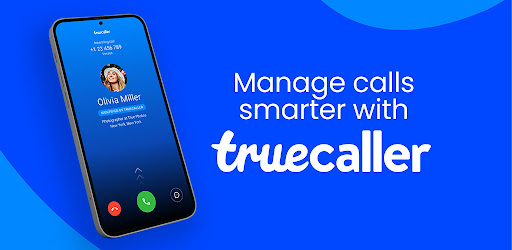
Truecaller is a communication app designed to help users recognize incoming callers and manage unwanted calls and messages. Its caller identification system can display information about numbers that are not saved in your contacts, depending on available data and the app’s permissions.
The free version provides core caller ID and spam protection features. Paid plans, including Premium and Gold where available, add benefits such as an ad-free experience, enhanced spam blocking, profile insights, and selected advanced calling tools.
Although many people search for “Truecaller Pro APK” to find a version with extra features, it is important to distinguish the official application from modified APK files. A modified package may not be authorized by the developer, may stop working after an update, or may contain unwanted code.
Key Features of Truecaller for Android
1. Caller ID and Unknown Number Identification
Truecaller helps identify incoming calls from numbers that are not saved in your phonebook. When information is available, the app may display a caller name or indicate that a number has been reported as spam.
- Identify many unknown incoming callers.
- View available information about business and personal numbers.
- Recognize numbers that have been reported for suspicious activity.
- Make more informed decisions about answering unfamiliar calls.
Caller identification is not guaranteed for every number. Names and spam labels can be incomplete or inaccurate, so always use caution when dealing with unexpected calls.
2. Spam Call Blocker and Detection
One of Truecaller’s main functions is reducing interruptions from unwanted calls. Its spam detection system uses available reports and other signals to identify potentially unwanted numbers.
- Identify reported telemarketing and spam calls.
- Configure blocking options according to your preferences.
- Manage blocked numbers from the application.
- Reduce repeated interruptions from known unwanted callers.
Blocking behavior depends on your settings, device, and available features. No spam detection system can identify every scam call, and a legitimate number can sometimes be incorrectly flagged.
3. AI Call Scanner
Truecaller’s AI Call Scanner is designed to help detect whether a voice during a call may be human or AI-generated. This can be useful when dealing with suspicious calls involving voice cloning or impersonation attempts.
- Analyze a voice during a supported call.
- Provide an indication of whether the voice may be AI-generated.
- Help users assess potential voice-based scams.
Availability note: Truecaller’s official AI Call Scanner information currently describes limited availability, including the United States on Android. Access may depend on your location, subscription, and app version. Detection results should not be treated as a guarantee that a caller is genuine.
4. Truecaller Assistant
Truecaller Assistant can answer supported incoming calls and ask callers why they are calling. It then provides information that helps you decide whether to take the call yourself.
- Screen selected incoming calls.
- Ask callers to explain the purpose of their call.
- Help you manage calls when you are busy.
- Provide information about the conversation, depending on supported features.
The Assistant is not available in every country or subscription plan. Its operation and available voices may vary by device, platform, language, and region.
5. Call Recording and AI-Powered Summaries
On supported devices and in eligible regions, Truecaller offers call recording tools that help users keep a record of important conversations. Certain versions or plans may also provide transcripts, summaries, or automatically generated subjects for recordings.
- Record supported incoming or outgoing calls.
- Organize saved recordings.
- Review transcripts or summaries when available.
- Find important information without replaying an entire conversation.
Recording support varies according to the device, Android version, region, and subscription. Before recording any conversation, check applicable local laws and obtain consent when required. Do not assume that every Android phone supports all recording features.
6. Reverse Phone Number Lookup
If you receive a call from an unfamiliar number, Truecaller’s lookup tools may help you find available information about it. This can be useful for recognizing businesses, checking reported spam numbers, or deciding whether to return a missed call.
- Search supported phone numbers.
- Review available caller identification information.
- Check whether a number has spam reports.
Results depend on the information available to Truecaller. A lookup does not guarantee access to a person’s verified identity or private information.
7. Messaging and SMS Spam Protection
Truecaller also offers messaging features in supported configurations. Depending on the version and device settings, users may be able to use it as their primary SMS application and organize messages into categories.
- Send and receive text messages.
- Identify and filter suspected spam messages.
- Organize personal, important, and unwanted messages.
- Use supported scheduling or message-management tools where available.
SMS filtering can help identify suspicious messages, but it cannot guarantee protection against every fraudulent link or impersonation attempt. Avoid opening unexpected links or sharing verification codes with unknown senders.
8. Truecaller Premium Benefits
Truecaller Premium is intended for users who want additional features beyond the free version. Depending on the plan and region, benefits may include:
- An ad-free experience.
- Advanced spam blocking options.
- Information about who viewed your profile.
- Incognito Mode for supported profile-viewing activities.
- A Premium badge.
- Access to selected Assistant and call-recording features.
- Ghost Call and other additional tools where supported.
Not every benefit is available to every subscriber. Check the plan details displayed in your own app before purchasing a subscription.
9. Truecaller Gold
Truecaller Gold is a paid subscription tier that includes Gold Caller ID and additional Premium benefits, subject to the current plan terms. Its distinctive caller identification experience is designed for users who want their calls to display a Gold identity where supported.
Gold is a subscription rather than a guarantee that every premium feature will work on every phone. Features, prices, and subscription conditions may change over time.
10. Truecaller Family Protection
Truecaller Family is designed to extend selected premium benefits to family members through an eligible shared plan. It can help households manage unwanted calls and improve awareness of suspicious activity.
- Share an eligible subscription with supported family members.
- Access available spam protection tools.
- Manage family membership through supported settings.
- Use additional protection features where the plan and platform support them.
Family features differ between Android and iOS, and some tools may be restricted by region. Review the current subscription terms to understand exactly what is included.
Truecaller Free vs Premium vs Gold
| Feature | Free | Premium / Gold |
|---|---|---|
| Caller ID | Yes | Yes |
| Core spam protection | Available | Advanced options may be included |
| Ad-free experience | Generally includes ads | Included in eligible plans |
| Profile-view insights | Limited or unavailable | Included in eligible plans |
| AI Call Scanner | Not generally included | Eligible plan and region required |
| Gold Caller ID | No | Gold plan |
This comparison is a general guide, not a guarantee of current plan entitlements. Always check Truecaller’s official subscription page for the latest feature list and regional restrictions.
Advantages and Disadvantages
Advantages
- Helps identify many unknown callers.
- Provides tools for detecting and blocking reported spam.
- Combines caller identification and messaging features.
- Offers additional call-management tools through eligible subscriptions.
- Can make handling frequent unwanted calls more convenient.
Disadvantages
- Some advanced features require a paid subscription.
- Feature availability varies by country, device, and platform.
- Caller identification and spam classifications may occasionally be inaccurate.
- Some functions require permissions or setting Truecaller as the default calling or messaging app.
- Privacy-conscious users should review the app’s permissions and privacy policy.
How to Install Truecaller on Android Safely
If you want to use Truecaller, the safest option is to install the official application from a trusted app store. This helps reduce the risk of modified packages that contain unwanted code or request unnecessary permissions.
- Open Google Play Store on your Android phone.
- Search for the official Truecaller application.
- Check the developer information before installing.
- Install the application and open it.
- Follow the setup instructions and review the requested permissions.
- Configure caller ID and spam-blocking settings according to your needs.
- If you want Premium or Gold features, review the subscription options available in your region.
If you obtain an APK from another source, verify that it comes from a trustworthy, authorized distributor. Avoid packages advertised as unlocked Premium versions, especially when the publisher cannot explain their origin or security practices. Never disable Android’s security protections just to install an unknown file.
Privacy and Security Considerations
Caller identification apps may process phone numbers and other information to provide their services. Before using Truecaller, review its privacy policy and understand which permissions you grant.
- Grant only permissions you understand and need.
- Review contacts, call-log, phone, and SMS permissions where applicable.
- Keep Android and the application updated.
- Do not share verification codes or sensitive personal information with unknown callers.
- Remember that caller ID is a useful signal, not proof of identity.
Truecaller states that it does not upload your phonebook to make it public or searchable. For details about data processing, account settings, and your privacy options, read the company’s official privacy documentation.
Official Truecaller Resources
For the most accurate information about Premium features, AI call detection, compatibility, and subscription availability, consult the developer’s own resources rather than relying solely on third-party APK descriptions.
Recommended official resource
Explore the current Premium and Gold features, review available plans, and check regional limitations directly on Truecaller’s website.
At EP Apk, our goal is to help Android users understand what an application offers, how its features work, and what to check before installing it. Always prioritize verified information and device security over claims that a modified APK unlocks every paid feature for free.
Frequently Asked Questions (FAQ)
Is Truecaller Pro APK free?
The official Truecaller app offers a free version, while selected advanced features require a paid subscription. APK files advertised as “Pro Unlocked” may be unofficial and should not be assumed to be safe or authorized.
What is the difference between Truecaller Free and Premium?
The free version provides core caller identification and spam protection. Premium can add an ad-free experience, advanced blocking options, profile insights, and selected extra features, depending on the plan and region.
Does Truecaller Premium include call recording?
Call recording is offered in supported configurations and eligible plans or markets. Availability depends on your device, operating system, location, and current subscription terms.
Can Truecaller detect AI-generated voices?
Truecaller’s AI Call Scanner is designed to help identify voices that may be AI-generated. It is available only in supported markets and configurations, and its results should not be treated as a guarantee that a call is safe.
Is Truecaller Gold different from Premium?
Yes. Gold is a higher-tier subscription that includes Gold Caller ID and eligible Premium benefits. Exact features and prices depend on the current plan and your region.
Is it safe to install a modified Truecaller APK?
Modified APK files can pose security and privacy risks because their code may have been changed by an unknown party. The official application from a trusted source is the safer choice.
Does Truecaller work on every Android phone?
Core features work on many Android devices, but specific tools depend on the Android version, device manufacturer, permissions, and region. Check the current app listing for compatibility information.
Does Truecaller upload my contacts?
Truecaller states that it does not upload your phonebook to make it public or searchable. For a full explanation of how information is processed, review its official privacy policy and your app settings.
Can Truecaller block all scam calls?
No. Truecaller can help identify and block reported spam, but scammers may use new numbers or spoof caller information. Avoid sharing passwords, payment details, or verification codes during unexpected calls.
Where can I check the latest Truecaller Premium features?
Visit the official Truecaller Premium page to review the current plans and features available in your region.
Final Verdict
Truecaller is a useful option for Android users who want to identify unknown callers, manage spam calls, and organize communication in one place. Its Premium and Gold subscriptions provide additional tools for users who need more advanced call management, while availability varies across devices and regions.
Before searching for Truecaller Pro APK, consider whether the free version meets your needs or whether an official subscription is worth the extra features. Choose a trusted installation source, review app permissions, and do not rely on caller identification alone to determine whether a call is legitimate.
Whats News of Truecaller: Spam Call Blocker
•Your Assistant is now easier to set up. Enable today to handle unknown numbers and detect scams in real time, even from safe-looking numbers • Introducing Family Protection — a new way to keep your loved ones safe from spam and scam calls • Managing unwanted calls is now easier with redesigned block settings and improved control over your protection • This update also includes bug fixes, performance improvements, and a smoother overall experienceFeature information may change as Truecaller updates its application and subscription plans. Check the official resources for the latest details.