Download SHAREit Premium APK

- Updated
- Version 1.1.98
- Size 13.54 Mb
- Requirements Android 4.2
- Developer Smart Media4U Technology Pte.Ltd.
- Genre Pro
- Google Play


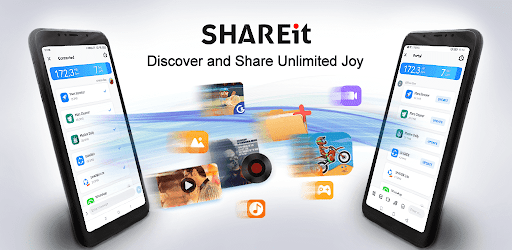
In this guide from EP Apk, you will learn about SHAREit’s main features, how file transfers work, what to know about Premium access, and how to install the app more safely.
App overview
- App name: SHAREit: Transfer, Share Files
- Category: Tools and file sharing
- Platform: Android, with versions available for other platforms
- Main purpose: Transfer files between compatible devices
- Pricing: Free app with ads and in-app purchases on Google Play
- Developer: Smart Media4U Technology Pte. Ltd.
- Package name: com.lenovo.anyshare.gps
What Is SHAREit Premium APK?
SHAREit is a file-transfer application that helps people move digital content between phones and other supported devices. Instead of relying on traditional Bluetooth transfers for every file, users can connect compatible devices through the app and send selected content over a local wireless connection.
The app supports common file types, including photos, videos, audio files, documents, and some app installation packages. Depending on the version and device, additional features may include a file manager, media tools, private storage, and phone migration utilities.
The term SHAREit Premium APK is often used by third-party websites to describe a modified Android package or a version advertised as offering extra benefits. It is important to distinguish these files from the official app. The Google Play listing offers SHAREit with ads and in-app purchases; a third-party APK should not be assumed to be official, ad-free, or unlocked.
Key Features of SHAREit
1. Fast File Sharing
SHAREit is designed to transfer files between compatible devices without requiring mobile data for every local transfer. You can select multiple items and send them in one session, making it useful for moving large photo collections, videos, music, and documents.
Actual transfer speeds depend on the devices, wireless environment, file sizes, and connection quality. Marketing speed claims should not be treated as guaranteed results for every phone.
2. Share Different Types of Files
The app supports a broad range of everyday content. Depending on device permissions and compatibility, you may be able to share:
- Photos and image collections
- Videos and recorded clips
- Music and audio recordings
- Documents and PDF files
- Supported app installation files
- Other files stored on your device
Before sending sensitive files, confirm that the receiving device belongs to the intended recipient and that you have selected the correct items.
3. Cross-Platform Transfers
SHAREit provides versions or transfer options for multiple platforms. Moving files between Android phones and computers may be possible when the relevant versions support the devices and can establish a connection.
Compatibility can vary by operating system and app version. Check the official SHAREit website for current platform options before installing a desktop companion app.
4. Phone Clone and Data Migration
When switching to a new phone, SHAREit’s migration tools may help transfer selected contacts, photos, videos, music, documents, and other supported content. This can reduce the time needed to move personal files manually.
Do not assume that every app, account, password, or application setting will transfer completely. Some apps require a fresh installation or a separate sign-in, and certain data may need the manufacturer’s own migration tool.
5. Built-In File Manager
The file-management tools can help you browse content, locate large files, move items, and delete files you no longer need. Review the selected items carefully before deleting anything, especially if the files have not been backed up.
6. Media Player and Video Tools
SHAREit also promotes media features, including video browsing, a music player, and tools for accessing or saving certain media. The availability of these features can vary by region and app version.
Only download or save content when you have permission to do so. A built-in downloader does not automatically grant permission to copy copyrighted videos or material from other services.
7. Private Storage and Safebox
Some versions include a private storage feature for keeping selected photos and videos away from the regular gallery view. If you use this feature, check how the app protects stored content and whether recovery options are available before moving important files into private storage.
8. Additional Utilities
Depending on the release, SHAREit may offer other utilities, such as PDF conversion, file-cleaning tools, or features related to app sharing. Feature availability should be confirmed in the current official listing rather than assumed from an older version or an unofficial download page.
SHAREit Free vs. SHAREit Premium APK
The word “Premium” can mean different things on third-party download sites. It may refer to a subscription, an in-app purchase, or a modified package. These are not necessarily equivalent.
| Item | Official SHAREit | Unofficial Premium APK |
|---|---|---|
| Source | Official app store or developer website | Third-party website or distributor |
| Updates | Updates provided through official channels | Updates depend on the distributor |
| Premium benefits | Depend on available official purchases or subscriptions | Claims may be unverified |
| Security assurance | Distributed through an official channel | Cannot be assumed safe without verification |
If your main goal is file sharing, the official free version may already provide the tools you need. Review the available in-app purchases if you want official premium benefits.
How to Download SHAREit for Android
The safest starting point is the official Google Play listing. It helps you identify the app publisher and receive updates through the store.
- Open the official SHAREit page on Google Play.
- Check the app name and developer details.
- Tap Install and wait for the installation to finish.
- Open SHAREit and review the permissions it requests.
- Enable only the permissions needed for the features you intend to use.
You can also visit the official SHAREit product page to review supported platforms and current product information.
How to Install an APK File More Safely
If you choose to install an Android package from outside Google Play, take extra care. An APK labelled “Premium” is not automatically genuine or safe.
- Verify the source: Prefer the developer’s official distribution channel whenever available.
- Check the app identity: Compare the package name and publisher details with the official listing where possible.
- Scan the file: Use a reputable mobile security tool and scan the downloaded file before opening it.
- Review permissions: Be cautious if the app requests access unrelated to the features you need.
- Avoid modified packages: Modified apps can contain unwanted code, remove security protections, or expose personal data.
- Disable unknown-source installation afterward: If you temporarily enabled this setting, turn it off when you finish.
No single scan or installation method guarantees that a file is safe. Avoid entering sensitive credentials into an app if you cannot verify its origin.
How to Transfer Files Using SHAREit
- Install and open SHAREit on both compatible devices.
- Grant only the permissions required to select and transfer your files.
- Choose the sending option on the device containing the files.
- Select the photos, videos, documents, or other supported items you want to share.
- Choose the receiving device when it appears, or follow the connection instructions shown in the app.
- Accept the transfer on the receiving device if prompted.
- Wait for the transfer to finish, then check that the files open correctly.
If the devices cannot find each other, keep them nearby, check their Wi-Fi settings, and follow the connection instructions shown by the current version of the app. Temporarily disconnecting a VPN may help in some network configurations, but restore your normal security settings afterward.
Advantages and Disadvantages
Advantages
- Supports sharing many common file types.
- Can transfer files locally without using mobile data for the transfer itself.
- Offers tools for moving selected content between devices.
- Includes file-management and media features in addition to sharing.
- Has versions or transfer options for multiple platforms.
Disadvantages
- The official Android listing includes advertising and in-app purchases.
- Connection quality and transfer speed vary by device and environment.
- Some features may differ between versions and regions.
- Unofficial modified APKs can create security and privacy risks.
- Transferring an app package does not guarantee that the app will install or run on another device.
Frequently Asked Questions
Is SHAREit Premium APK official?
The name alone does not establish that a file is official. Google Play lists the standard SHAREit app with ads and in-app purchases. Verify any claimed Premium edition through the developer’s official channels.
Is SHAREit free to use?
The official Android app is listed as free to install, with ads and in-app purchases. Some optional features or benefits may require payment.
Can SHAREit transfer files without mobile data?
Local transfers between compatible devices can work without using mobile data for the file transfer. Online content, downloads, advertisements, or other internet-based features may still require a connection.
Can SHAREit transfer apps to another phone?
SHAREit advertises app-sharing capabilities, but transferring an installation package does not guarantee compatibility. Some apps require installation through an official store, additional files, or account authentication.
Does SHAREit work between Android and PC?
SHAREit offers cross-platform options, but the exact connection method depends on the supported desktop and mobile versions. Check the official product page for current compatibility information.
Is it safe to install a modified SHAREit APK?
A modified APK may have been changed by an unknown party and could contain harmful code or unwanted permissions. The safer option is to install the official app from a trusted store or developer source.
Does SHAREit guarantee that my private files are secure?
No app should be treated as a guarantee of privacy. Review the current privacy notice and requested permissions, avoid sharing sensitive content with unknown recipients, and keep important files backed up securely.
Final Verdict
SHAREit is a versatile option for transferring files between compatible devices, with additional tools for file management, media playback, and phone migration. Its usefulness depends on your device, the features available in your region, and whether you are comfortable with the app’s permissions and advertising model.
For most users, the official version is the best place to start. If you are searching for SHAREit Premium APK, verify exactly what “Premium” means before installing anything, and avoid packages that make unsupported claims about unlocked features or guaranteed security.
EP Apk tip: Always verify the source of an Android app, review its permissions, and keep your device’s security protections enabled.