Download Adobe Premiere APK
- Updated
- Version 26.3.0
- Size Unknown
- Developer Adobe
- Genre Video Players & Editors
- Google Play


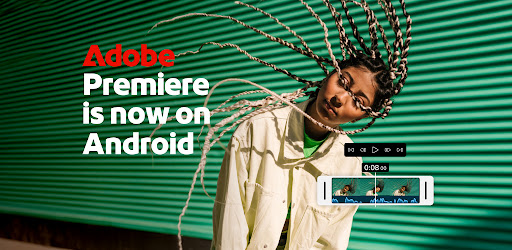
Adobe Premiere is designed for creators who want more control over their videos, whether they are producing short-form content, recording voiceovers, combining multiple clips, or preparing footage for online sharing. The app offers core editing tools for free, while certain generative AI features may require Adobe Firefly generative credits.
In this guide, we explore Adobe Premiere’s main features, supported editing tools, device requirements, pricing considerations, and how to install the app safely on a compatible Android device.
Adobe Premiere: Video Editor at a Glance
A mobile video editor featuring multi-track editing, clip trimming, transitions, audio tools, creative templates, and AI-assisted features. Core editing and watermark-free exports are available without a standard editing subscription, according to Adobe’s current mobile documentation.
What Is Adobe Premiere: Video Editor?
Adobe Premiere is a mobile video editing application from Adobe that allows users to assemble clips, adjust their timing, add visual effects, work with audio, and export finished videos. Its timeline-based workflow gives creators control over how different video and audio elements fit together.
Unlike a basic editor that only trims a single clip, a multi-track timeline lets you arrange and layer different elements in one project. This makes it easier to combine footage, music, voiceovers, and other supported media when creating more complex videos.
The app is particularly useful for people who publish content on platforms such as TikTok, YouTube Shorts, Instagram, and Facebook. Its mobile interface is designed to keep commonly used editing tools accessible while you work.
Adobe also provides official help documentation for the Android version. You can review the latest features and installation information on the official Adobe Premiere for Android guide.
Adobe Premiere APK Information
| App Name | Adobe Premiere: Video Editor |
|---|---|
| Developer | Adobe |
| Category | Video Editing, Multimedia, Content Creation |
| Platform | Android |
| Price | Core editing available for free; some generative AI features require credits |
| Export | Watermark-free export; 4K export is advertised in the supplied description |
| RAM Requirement | The supplied description specifies at least 5 GB of RAM |
| Official Website | Adobe Help Center |
Note: App availability, Android compatibility, feature access, and hardware requirements can change. Confirm the requirements displayed in the official store listing for your device before installing.
Key Features of Adobe Premiere
1. A Precise Multi-Track Editing Timeline
The timeline is one of Adobe Premiere’s most important features. It lets you organize clips and supported media into layers, giving you more control over the structure and timing of a video.
- Trim clips to remove unwanted sections.
- Split footage to isolate important moments.
- Arrange clips in the order you want.
- Layer supported video, audio, text, and graphic elements.
- Make detailed adjustments to create a more polished result.
This workflow can be useful for tutorials, product videos, travel edits, short social clips, and other projects that require more than a single video track.
2. AI-Powered Speech Enhancement
Clear audio can make a significant difference to the quality of a video. Adobe Premiere includes speech enhancement tools designed to improve dialogue and make voice recordings sound cleaner.
This can be particularly helpful when recording narration, tutorials, interviews, or commentary in environments where background noise affects the original recording. Results depend on the source audio, and enhancement cannot guarantee that every recording will sound like a professional studio production.
3. Text-to-Image AI Tools
The supplied app description highlights text-to-image generation using Adobe Firefly. Such tools can help creators develop visual assets from written prompts for use in creative projects.
Generative AI availability, credit requirements, and the specific tools offered can vary. Check Adobe’s current documentation for the features available in your app version before relying on a particular AI workflow.
4. Smooth Transitions and Visual Effects
Transitions help connect clips and create a more consistent viewing experience. Adobe Premiere offers transition effects and other editing options that can make videos feel more deliberate and professionally assembled.
Use transitions where they support the story rather than adding an effect to every cut. Simple, consistent edits often work better than excessive visual effects, especially for tutorials and informative content.
5. Video Speed Controls
Speed adjustments let you change the pacing of supported clips. Depending on the available tools in your version, you can speed up footage, slow down a moment, or freeze a key frame to draw attention to an important detail.
These effects are useful for demonstrations, highlights, short-form social videos, and creative edits where timing is important.
6. Templates for YouTube Shorts
Templates can help you start a project without building every element from scratch. The supplied description mentions YouTube Shorts integration and creator-made templates for producing drafts more quickly.
Templates can be useful when you need a repeatable structure for short videos. You can then adjust the footage, timing, audio, and other supported elements to match your own style.
7. Color Presets and Visual Adjustments
Color plays an important role in the appearance of a finished video. The supplied description mentions Adobe Lightroom presets and the ability to fine-tune the look of your footage.
Presets can provide a starting point for a consistent visual style, but the best result depends on the original lighting, exposure, and colors in your footage. Review each clip after applying a preset to avoid unnatural-looking results.
8. Audio Editing and Voiceovers
Adobe Premiere provides tools for working with sound as part of the editing process. According to the supplied description, users can incorporate music, use sound effects, extract audio, and record voiceovers.
These capabilities are useful for adding narration to tutorials, giving social videos more atmosphere, or making a sequence easier to understand. Make sure you have permission to use any music or audio assets you include in published content.
9. Adaptive Mobile Interface
The app’s interface is designed to keep frequently used editing tools accessible. An adaptive workspace can help reduce unnecessary navigation between tools and make it easier to focus on the timeline and preview while working on a phone.
For longer projects, take time to learn the workspace and locate the tools you use most often. This can make editing more efficient as your projects become more complex.
10. Export Without Watermarks
The supplied description advertises free exports without watermarks or pop-up advertisements. Adobe’s mobile documentation also describes watermark-free exports as part of the app’s free editing experience.
This is helpful for creators who want to publish finished videos without an editor’s logo covering part of the picture. Always review the current app terms and export settings for any changes or feature-specific limitations.
11. 4K Video Export
The supplied description states that the Android app can export videos in 4K resolution. High-resolution output can be useful for projects that need detailed images, but the final export options available may depend on the current app version and device.
Keep in mind that 4K files can take up considerable storage space. Exporting and editing high-resolution footage may also place greater demands on your device than working with smaller videos.
12. Import Media From Your Device
Adobe Premiere lets you bring media into your projects from your device. The supplied description also mentions importing assets from supported cloud storage providers.
Adobe’s documentation describes accessing media through supported file and storage apps. The exact services and import options may vary, so check the available import methods in your version.
Is Adobe Premiere Free to Use?
Adobe describes Premiere on Android as a free video editing app. Its core editing workflow and watermark-free exports are available without a standard editing subscription, according to the current official mobile FAQ.
However, free editing does not mean every service or generative AI feature is unlimited. Adobe Firefly generative AI features may require purchased or otherwise available generative credits. Some assets and connected services may also require an Adobe account.
Before using an AI feature extensively, check its credit requirements and any applicable terms. This helps you understand which parts of your workflow are free and which may involve additional costs.
For the latest details, read the official Adobe Premiere mobile FAQ.
Device Requirements for Adobe Premiere
The description provided for this article states that a device needs at least 5 GB of RAM to download the app. Because hardware requirements can change between versions and devices, verify the latest compatibility information on Google Play before installation.
In addition to RAM, consider the following practical factors:
- Available storage: Video projects and exported files can occupy substantial space, particularly at high resolutions.
- Processor performance: Editing several layers or handling demanding footage can be more intensive than basic trimming.
- Battery life: Video editing and exporting can consume more power than ordinary phone tasks.
- Operating system: Your Android version must meet the app’s current compatibility requirements.
- Internet access: Core editing can be available locally, while certain assets and generative AI services may require connectivity or sign-in.
How to Download and Install Adobe Premiere APK
For the safest installation, use Adobe’s official distribution channel and verify the publisher before downloading. The official Adobe help page directs Android users to Google Play.
- Open Google Play: Search for Adobe Premiere: Video Editor on your Android device.
- Verify the publisher: Confirm that the listing is the official Adobe app rather than an unrelated or similarly named application.
- Check compatibility: Review the Android version, device requirements, available storage, and current listing details.
- Install the app: Use the official store’s installation process.
- Open a project: Import a video from your device and explore the editing timeline.
- Export a test video: Try a short project first to understand the available export settings and performance on your device.
Official resource: Adobe Premiere for Android – Official Guide.
If you choose a third-party APK instead, verify the source and file carefully. Do not assume that a file is official simply because its name or icon resembles Adobe Premiere. Avoid modified packages that promise paid AI credits, unlocked services, or other benefits without authorization.
Tips for Better Video Editing
Plan Your Video Before Editing
Decide what you want the viewer to learn or experience. Select the best footage first, remove unnecessary sections, and organize your clips before adding effects or music.
Keep Your Timeline Organized
Use separate tracks for supported elements such as video, voiceovers, and music. A clear timeline makes it easier to identify timing problems and adjust individual parts without rebuilding the entire project.
Prioritize Clear Audio
Record voiceovers in the quietest practical environment and listen to the finished mix before exporting. Speech enhancement can help, but clean source audio generally gives you a better starting point.
Use Effects With a Purpose
Transitions, color adjustments, and speed effects should support the content. Avoid adding effects simply because they are available; consistent editing often produces a more professional result.
Choose the Right Export Resolution
Consider where the video will be published and how much detail it needs. Higher-resolution exports can offer more detail but may require more storage, processing time, and device resources.
Review AI Credit Requirements
Before generating images or using other generative AI tools, check whether the feature requires Firefly credits. This is especially important if you plan to create many assets for a regular content schedule.
Pros and Cons of Adobe Premiere
Pros
- Core video editing tools available for free
- Multi-track timeline for layered projects
- Watermark-free export
- Transitions, trimming, and speed controls
- Audio enhancement and voiceover tools
- Templates for short-form content
- 4K export advertised in the supplied description
- AI-assisted creative options
Cons
- Requires a compatible Android device
- The supplied requirements specify at least 5 GB of RAM
- Generative AI features may require paid credits
- High-resolution projects can consume significant storage
- Some assets and services may require sign-in or internet access
- Feature availability can vary by version and platform
Adobe Premiere vs. Basic Mobile Video Editors
A basic mobile editor may be enough for trimming a clip, joining a few scenes, or adding a simple title. Adobe Premiere is worth considering if you want a timeline-based workflow with multiple tracks, more detailed clip control, audio tools, transitions, and creative options in one app.
However, the best editor depends on your needs. If your projects are simple, a lightweight editor may be sufficient. If you regularly produce social content, tutorials, or videos with several visual and audio layers, Premiere’s editing workflow may offer more flexibility.
Before choosing an editor, compare its supported export formats, device requirements, editing tools, and any paid features you expect to use.
Frequently Asked Questions
What is Adobe Premiere: Video Editor?
Adobe Premiere is a mobile video editing app that lets users trim clips, organize media on a multi-track timeline, apply transitions, work with audio, and prepare videos for export and sharing.
Is Adobe Premiere free on Android?
Adobe describes Premiere on Android as a free app with core editing tools and watermark-free exports. Some generative AI features require Firefly generative credits, and certain assets or services may require an Adobe account.
Does Adobe Premiere export videos without a watermark?
Yes. Adobe’s mobile documentation describes watermark-free exports as part of the app’s free editing experience. Check the current app version for the latest export options.
Can Adobe Premiere export videos in 4K?
The supplied app description advertises 4K export. Available resolutions can depend on the app version, device, and export settings, so confirm the options in your installation.
How much RAM does Adobe Premiere require?
The supplied description states that at least 5 GB of RAM is required to download the app. Check the current official store listing for the latest device compatibility requirements.
Does Adobe Premiere include AI tools?
The app description mentions AI speech enhancement and text-to-image generation with Adobe Firefly. Feature availability and credit requirements can vary, so consult Adobe’s current documentation before use.
Do I need an Adobe account to edit videos?
Adobe’s current mobile FAQ states that users can edit, save projects locally, and export without signing in. Some assets and generative AI features may require an account or sign-in.
Can I use Adobe Premiere to create YouTube Shorts?
Yes. The supplied description mentions YouTube Shorts integration and templates. These tools can help you prepare short-form videos, although available templates and features may change between versions.
Does Adobe Premiere remove background noise from voiceovers?
Adobe Premiere includes speech enhancement tools designed to improve dialogue clarity. Results depend on the original recording, and some noise may remain after processing.
Where should I download Adobe Premiere APK?
The recommended option is the official Google Play listing linked through Adobe’s Android help page. Avoid unknown APK websites and modified packages that cannot be verified.
Final Verdict
Adobe Premiere: Video Editor is a compelling option for Android creators who want more control over mobile video production. Its multi-track timeline, clip editing tools, transitions, audio enhancement, voiceover support, and creative templates can help with everything from quick social videos to more layered projects.
The free core editing workflow and watermark-free exports are particularly useful for creators who want to publish content without paying for basic editing. At the same time, users should understand that certain generative AI features may require Firefly credits and that demanding projects need sufficient device resources.
If you create videos for YouTube Shorts, TikTok, Instagram, or Facebook, Adobe Premiere is worth exploring on a compatible Android device. Check the official listing and Adobe documentation for current requirements, supported features, and installation options before downloading.
Whats News of Adobe Premiere: Video Editor
Effortless editing. Total control. The fast, free video editor now on Android — powerful enough for any idea, simple enough for anyone.Edit anywhere with a precise multi-track timeline, trending transitions and effects, text overlays, studio-quality audio, and AI generative tools.Official Links and Resources
- Adobe Premiere for Android – Official Overview
- Adobe Premiere Mobile – Frequently Asked Questions
- Adobe General Terms of Use
- Adobe Privacy Policy
- Adobe Privacy Choices and California Rights
Disclaimer: EP Apk is an independent informational website and is not affiliated with Adobe. Adobe Premiere and Adobe Firefly are trademarks of Adobe. App features, requirements, pricing, and availability may change. Always use trusted sources and review the applicable terms and privacy policy before installing or using an app.