
Download Camera360 VIP APK

- Updated
- Version 9.9.3
- Size 91.6MB
- Requirements Android 6.0
- Developer PINGUO TECHNOLOGY HK CO LIMITED
- Genre Photography
- Google Play


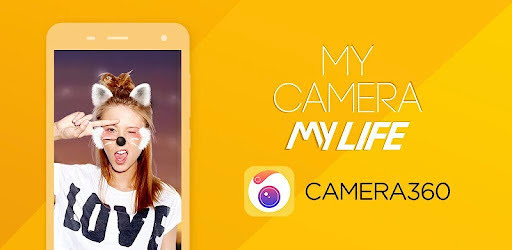
Download Camera360 VIP APK for Android – Beauty Camera & Photo Editor
Looking for a beauty camera app that can make your selfies more creative? Camera360 VIP APK is associated with Camera360, a photography and photo-editing app offering beauty retouching, makeup effects, artistic filters, animated stickers, and advanced image adjustments.
Camera360 is designed for users who want to improve portraits, experiment with different visual styles, and create eye-catching photos without relying entirely on complex desktop editing software. Its tools include skin smoothing, facial adjustments, body shaping, color correction, and creative effects for photos and short videos.
In this guide, you will learn about Camera360’s main features, VIP benefits, installation options, compatibility considerations, and important safety checks before installing an APK file.
Camera360 App Overview
- App Name: Camera360 – Photo Editor & Selfie
- Developer: PINGUO TECHNOLOGY (HK) CO., LIMITED
- Category: Photography
- Platform: Android
- Price: Free download with ads and in-app purchases; VIP access may require payment
- Main Purpose: Selfies, beauty retouching, photo editing, filters, and creative effects
- Key Features: Skin smoothing, makeup effects, facial adjustments, artistic filters, stickers, and color controls
- Official Website: camera360.com
- Google Play: Camera360 Official App Page
Important: Camera360 VIP is a paid service. Do not assume that an APK described as “VIP” provides legitimate free access to paid features.
What Is Camera360 VIP?
Camera360 is a camera and photo-editing application focused on selfies, portraits, and creative image effects. It combines beauty tools with filters and manual adjustments, allowing users to change the appearance and mood of their pictures.
The term Camera360 VIP generally refers to the app’s paid membership benefits. According to the developer’s published subscription information, VIP can provide access to paid filters and exclusive stickers during the active membership period, along with the ability to block some advertisements. Exact benefits may change, so check the current terms inside the app before purchasing.
The standard app also offers features that do not necessarily require VIP. Availability can vary by version, region, and the specific tool you select.
Key Features of Camera360 VIP APK
1. Skin Smoothing and Beauty Retouching
Camera360 includes beauty tools designed to smooth skin and refine portrait photos. These controls can help create a softer appearance in selfies and other close-up pictures.
For more natural results, use retouching adjustments carefully. Excessive smoothing can remove skin texture and make a photo look artificial.
2. Facial Shape Adjustments
The app offers facial adjustment tools that let users modify selected facial features. Its advertised controls include fine adjustments for changing the appearance of the face.
These tools are intended for creative photo editing. Results depend on the original image, lighting, face angle, and the strength of the adjustments.
3. Face and Body Reshaping
Camera360 provides tools for reshaping selected areas of a photo. Users can adjust parts of a portrait while protecting areas they do not want to modify, where the relevant protection feature is available.
Review the edges around the edited area before saving the image, especially when the background contains straight lines or recognizable objects.
4. One-Touch Beauty Effects
One-touch beauty tools are designed to apply a collection of portrait enhancements quickly. Instead of adjusting every setting separately, users can begin with an automatic effect and fine-tune the result afterward.
This is useful for quick social media photos when you want a consistent look without spending too much time editing.
5. Creative Sky Effects
The advertised Magic Sky feature lets users change the visual mood of a picture with alternative sky effects. Depending on the available effect, an ordinary outdoor photo can take on a dreamy, colorful, or anime-inspired appearance.
For a convincing result, choose an effect that matches the lighting and colors of the rest of the photo.
6. Artistic and Cartoon Filters
Camera360 includes artistic filters that can give photos a painted, illustrated, or cartoon-inspired appearance. These effects are useful for profile pictures, creative posts, and experimenting with different visual styles.
The exact effects available may differ between app versions and free or VIP access.
7. Cinematic and Black-and-White Filters
Users can explore cinematic looks, monochrome effects, and color styles inspired by different photography aesthetics. These filters can help create a consistent mood across portraits, travel pictures, and everyday photos.
8. More Than 300 Advertised Filters
The app description advertises more than 300 filters, including retro, black-and-white, HDR, Lomo, and Hong Kong-inspired styles. Filters can change contrast, color, atmosphere, and the overall appearance of an image.
Some filters may carry a VIP label or otherwise require payment. Check the access indicator shown in the app before assuming a filter is free.
9. Makeup Effects and Customization
Camera360 advertises more than 30 makeup filters, including different makeup styles and customizable colors. These tools let users experiment with a look before saving or sharing a portrait.
Makeup effects can be especially useful for selfie editing, but the result may vary depending on lighting, image quality, and face detection.
10. Cute and Animated Stickers
The app offers decorative stickers, including animated options. Its description also mentions smart face recognition that can respond to facial expressions, making certain effects more interactive.
Sticker availability and behavior depend on the selected effect and the version installed.
11. Short Video Creation
Camera360 advertises tools for recording short videos between 10 and 60 seconds, with options to change music and apply filters or makeup effects.
This can be convenient for creating short portrait clips for social platforms. Review the app’s current recording options to confirm which durations and effects are available on your device.
12. Selective Color Editing
For users who want more control, Camera360 describes detailed color effects that can change selected colors in an image. Selective color editing can emphasize a particular object or create a distinctive artistic result.
13. Perspective and Image Correction
The app advertises vertical and horizontal image correction, including adjustments that can help balance photographs of buildings and other architectural subjects.
Perspective correction can improve composition, although aggressive adjustments may crop parts of the image or introduce visible distortion.
14. Manual Color and Exposure Controls
Camera360 describes 13 basic adjustment parameters, including saturation, exposure, highlights, shadows, color temperature, and hue. These controls provide more flexibility than applying a filter alone.
Try making small adjustments one at a time. This makes it easier to preserve natural skin tones and avoid losing detail in bright or dark areas.
15. Mix Filters for More Creative Results
The app description says that more than 300 filters can be used partially on photos. Where supported, combining or selectively applying effects lets you create a look that differs from a standard preset.
For the best results, save an original copy before making substantial edits so you can return to the unedited image if needed.
Camera360 VIP Benefits Explained
VIP access is intended for features and content marked as paid within Camera360. The developer’s published subscription notice lists access to paid filters and exclusive stickers during the valid membership period, plus blocking some advertisements.
- Paid filters: Access to filters marked with the VIP logo while membership is active.
- Exclusive stickers: Use of eligible VIP stickers during the subscription period.
- Some ad blocking: VIP may block certain advertisements, rather than necessarily removing every advertisement.
- Subscription options: Available plans and renewal conditions should be checked on the current purchase screen.
VIP benefits are subject to the developer’s current terms. Do not assume that every editing tool is exclusive to VIP or that every VIP feature is available in every region.
Read the official Camera360 VIP subscription notice before purchasing.
Camera360 Free vs. VIP
| Feature | Free Version | VIP Membership |
|---|---|---|
| Basic app access | Available, subject to current app restrictions | Available |
| Filters | Eligible free filters | Access to eligible paid filters |
| Exclusive stickers | Depends on sticker availability | Eligible VIP stickers while membership is active |
| Advertisements | Ads may appear | Some ads may be blocked |
| Payment | No VIP purchase required for eligible free features | Payment required for the selected plan |
Note: This is a general comparison based on the published VIP notice. Feature availability can change with updates, region, and account status.
System Requirements and Compatibility
Camera360 is available for Android through its official Google Play listing. The minimum Android version, storage requirements, and availability of individual effects can change with updates and device compatibility.
Before installing, check the app’s current Google Play listing for compatibility with your phone or tablet. Ensure that your device has enough free storage and that Camera360 has the permissions needed for the features you intend to use.
How to Download Camera360 VIP APK Safely
The recommended option is to install Camera360 through its official Google Play listing. This helps you obtain the version distributed by the developer and receive updates through the store.
- Open the official listing: Visit Camera360 on Google Play.
- Check the developer: Confirm that the listing identifies PINGUO TECHNOLOGY (HK) CO LIMITED.
- Install the app: Tap Install if the application is compatible with your device.
- Open Camera360: Review the permissions requested and allow only those needed for the features you use.
- Explore free tools: Try the available filters and editing options before deciding whether VIP is worth the cost.
- Review VIP terms: If you choose a subscription, confirm the price, billing period, automatic-renewal conditions, and cancellation process before paying.
What If You Need an APK File?
If you install an APK manually, obtain it only from a source you trust and verify that it is the authentic app package. A third-party download page using the words “Camera360 VIP APK” is not automatically official or safe.
- Avoid modified APKs that promise paid VIP features for free.
- Do not disable device security protections just to install an unknown file.
- Check the requested permissions and scan the downloaded file with a reputable security tool.
- Do not enter payment details or account credentials into unfamiliar pages.
- Prefer the official store whenever possible, especially for apps that process personal photos.
EP Apk safety note: We recommend checking the source and authenticity of an APK before installing it. This guide does not guarantee the safety or legitimacy of unofficial modified versions.
Privacy and Permissions
Photo-editing apps may need access to the camera to take pictures and to photos or videos to edit existing media. Actual permission requests depend on your device, Android version, and the features you use.
Before using Camera360, read the developer’s Privacy Policy. The Google Play listing also provides a Data Safety section describing the developer’s stated data practices. Review both sources if you are concerned about how personal information or images may be handled.
As a general precaution, avoid granting permissions that are unrelated to the task you want to perform, and think carefully before uploading sensitive images to any online service.
Common Camera360 Problems and Possible Fixes
1. Camera360 Keeps Asking for VIP
Some filters, stickers, or features may require a paid membership. Try selecting an item without a VIP label. If you already paid, confirm that the subscription is active and that you are using the correct account.
2. The App Crashes or Freezes
- Restart your phone.
- Update Camera360 from its official store listing.
- Make sure your device has enough free storage.
- Close other apps if your device is running low on memory.
- If the issue continues, contact the developer before deleting app data or reinstalling.
3. Filters or Stickers Are Missing
Check your internet connection, update the app, and confirm whether the missing content is available in your region or included in your membership. Some content may change over time.
4. Edited Photos Do Not Look Natural
Reduce the intensity of skin smoothing and facial reshaping, use subtle color adjustments, and compare the edited image with the original before saving.
5. Camera360 Cannot Access Photos or the Camera
Open your phone’s app settings and review Camera360’s permissions. Enable the camera or photo access needed for the feature you are using, then reopen the app.
6. VIP Features Do Not Unlock After Payment
Check your purchase history and subscription status in the store through which you paid. Make sure you are using the appropriate account and follow the developer’s support instructions if the membership remains unavailable.
Advantages and Disadvantages
Advantages
- A broad selection of selfie and portrait editing tools.
- Skin smoothing and facial adjustment features.
- Creative filters, makeup effects, and decorative stickers.
- Manual color and exposure controls for more detailed editing.
- Short-video effects and creative sky options described by the developer.
- Optional VIP access to eligible paid content.
Disadvantages
- Some filters, stickers, and other content may require payment.
- Advertisements may appear in the free version.
- Heavy beauty effects can make portraits look unnatural.
- Feature availability may vary by version, region, and device.
- Users should review privacy practices before editing sensitive personal photos.
Frequently Asked Questions
What is Camera360 VIP APK?
It is a search term commonly used for an Android APK associated with Camera360’s paid VIP features. The official app is a photography and selfie editor, while VIP access is subject to the developer’s subscription terms.
Is Camera360 free to download?
The official Google Play listing offers the app with advertisements and in-app purchases. Some features are available without VIP, while selected content may require payment.
Does Camera360 VIP unlock all filters?
VIP provides access to eligible paid filters and other listed benefits while the membership is active. The developer may adjust the content and benefits, so check the current terms in the app.
Can I use Camera360 to edit videos?
The app description advertises short-video recording with music, filters, and makeup effects. Check the installed version for the recording options available on your device.
Is a modified Camera360 VIP APK safe?
Not necessarily. Modified APKs may be altered, contain unwanted code, or expose personal information. The safer option is to install the official app and obtain VIP through the app’s authorized payment system.
How do I cancel a Camera360 VIP subscription?
Cancel the subscription through the platform where you purchased it, such as Google Play or Apple’s subscription settings. Check the applicable renewal deadline and the developer’s current subscription terms to avoid an unwanted renewal.
Where can I download the official Camera360 app?
You can visit the official Camera360 Google Play listing or the Camera360 website.
Final Verdict
Camera360 is a feature-rich option for Android users who enjoy taking selfies and experimenting with portrait retouching, makeup effects, artistic filters, stickers, and manual color adjustments. Its combination of automatic beauty tools and more detailed editing controls makes it suitable for casual photography and creative social media content.
However, not every feature is necessarily free. Users interested in Camera360 VIP should review the current subscription benefits and price before purchasing. For security, the official app listing is the recommended starting point rather than an unknown modified APK.
At EP Apk, we encourage readers to verify app sources, understand subscription terms, and review privacy information before installing photo-editing applications.
Disclaimer: EP Apk is an independent information website and is not affiliated with or endorsed by Camera360 or PINGUO TECHNOLOGY. Camera360 and its related marks belong to their respective owners. Features, prices, and subscription terms may change; consult the developer’s official resources for the latest information.
Whats News of Camera360 :Photo Editor&Selfie
Optimize some minor issues to improve the experience ———— Follow us on: Twitter: @Camera360 Instagram: @Camera360_Official Facebook: @camera360official