Download SnoreLab APK

- Updated
- Version 2.33.5.7814
- Size 62.71 MB
- Requirements Android 8.0
- Developer Reviva Softworks Ltd
- Genre Health & Fitness
- Google Play


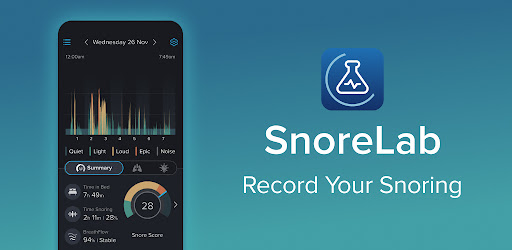
Instead of relying only on what someone else tells you about your sleep, SnoreLab lets you review sound recordings and track changes from one night to the next. Its simple monitoring process makes it easier to collect useful information that you can discuss with a healthcare professional when needed.
If you are looking for an Android app to record snoring, review your Snore Score, and monitor changes in your nighttime sounds, here is what you should know about SnoreLab and its main features.
What Is SnoreLab APK?
SnoreLab is a sleep and snoring analysis app developed by Reviva Softworks Ltd. It uses your phone’s microphone to detect and record snoring sounds while you sleep. In the morning, you can review your results, listen to selected audio highlights, and compare your snoring activity with previous nights.
The app also allows you to record lifestyle factors and test different snoring remedies to see whether your results change. Its BreathFlow feature provides an additional view of breathing stability based on acoustic signals, but it is not a medical diagnosis or a substitute for a professional sleep assessment.
SnoreLab is designed for people who want to better understand their snoring patterns and collect information about their sleep. You do not need a dedicated wearable device to get started; your compatible smartphone is used for the recording session.
SnoreLab APK Information
| App Name | SnoreLab: Record Your Snoring |
|---|---|
| Developer | Reviva Softworks Ltd |
| Category | Health & Fitness |
| Platform | Android and iOS |
| Main Purpose | Snoring recording and tracking |
| Pricing | Free download with ads and in-app purchases; some features may require payment. |
| Official Website | snorelab.com |
Note: App availability, pricing, Android compatibility, and feature access can change. Check the official Google Play listing for the latest information about your device.
Key Features of SnoreLab for Android
1. Automatic Snore Detection
SnoreLab analyzes audio captured by your phone to identify sounds that may be snoring. This helps you review your nighttime activity without having to stay awake and monitor the recording yourself.
Background sounds and other people in the room may also affect recordings, so the results should be treated as useful estimates rather than perfectly accurate measurements.
2. Snore Recording and Audio Playback
One of the app’s most useful features is its ability to capture snoring sound samples during a sleep session. In the morning, you can listen to selected highlights and understand what your snoring sounds like.
Reviewing these samples may help you notice recurring patterns and provide relevant audio examples during a conversation with a healthcare professional.
3. Snore Score Tracking
The Snore Score is SnoreLab’s measurement of snoring intensity and duration. It gives you a convenient way to compare results between nights and see whether your recorded snoring changes over time.
For more meaningful comparisons, use the app consistently and consider whether your sleeping environment, recording position, or other conditions changed between sessions.
4. BreathFlow and Breathing Insights
SnoreLab includes BreathFlow, a feature that estimates breathing stability from acoustic signals. It presents information about stable and unstable breathing patterns and may help users recognize when further investigation is appropriate.
Important: BreathFlow does not confirm or rule out obstructive sleep apnea. An app-based audio analysis cannot replace a medical evaluation or a sleep study when one is needed.
5. Breathing Rate Monitoring
The app offers breathing-rate information intended to provide additional context about nighttime breathing. These estimates should not be treated as a clinical measurement, and possible breathing interruptions require professional assessment when accompanied by concerning symptoms.
6. Compare Your Results Between Nights
SnoreLab lets you review trends and compare snoring activity across multiple sessions. Over time, this can help you see whether your recorded snoring is becoming more or less noticeable under different conditions.
Tracking several nights is generally more informative than drawing conclusions from a single recording.
7. Test Snoring Remedies and Lifestyle Factors
You can log factors such as alcohol consumption, sleep-related habits, and remedies you are trying. Comparing these entries with your results may help you identify patterns worth discussing with a healthcare professional.
For example, you could compare several nights under similar conditions before and after a lifestyle change. However, a change in your Snore Score alone does not prove that a particular remedy is effective or medically appropriate.
8. Full-Night Monitoring
SnoreLab is designed to monitor snoring during sleep, allowing you to review selected sound samples and the information collected during a session. Place your phone near your bed and follow the app’s instructions for microphone positioning.
For reliable use, keep the phone on a stable surface and ensure that it has enough battery power and storage for the recording features you intend to use.
9. Share Audio Recordings
The app supports sharing snoring audio files, including through email. This may be useful if you want to show selected recordings to a healthcare professional or discuss your observations with someone you trust.
Because recordings may contain private conversations or other household sounds, review them before sharing and make sure you have the consent of anyone whose voice may be captured.
10. Sleep Statistics and Snoring Advice
SnoreLab provides tracking tools, trend information, and educational material about snoring remedies. These resources can help you organize your observations and explore possible next steps.
Educational advice in the app should complement, not replace, personalized medical guidance.
How to Use SnoreLab
Getting started with SnoreLab is straightforward. Follow these general steps to record and review your snoring:
- Install the app: Download SnoreLab from the official Google Play Store listing linked below.
- Open SnoreLab: Complete the initial setup and review any permissions the app requests.
- Position your phone: Place the device near your bed according to the app’s official instructions, with its microphone positioned to capture your sounds.
- Start monitoring: Begin a recording session before going to sleep.
- Review your results: In the morning, stop the session and check your Snore Score, audio highlights, and available statistics.
- Track relevant factors: Record lifestyle details or remedies you are testing, where appropriate.
- Compare multiple nights: Review your results over time instead of relying on one night’s data.
Why Use SnoreLab?
Snoring can be difficult to assess because it happens while you are asleep. SnoreLab offers a practical way to collect audio evidence and organize observations that might otherwise be difficult to remember.
- Understand what your snoring sounds like.
- Track changes in snoring intensity over time.
- Listen to selected recordings from the night.
- Compare results after changes to your habits or sleep routine.
- Keep a record that may be useful during a medical consultation.
- Explore educational information about snoring and possible remedies.
Is SnoreLab Free to Use?
SnoreLab is available to download on Android, but the official Google Play listing indicates that it contains ads and in-app purchases. Some features or extended access may require payment, depending on the current offer and subscription options.
Before purchasing a subscription, review the features included in the free version, the current price, and the renewal terms displayed in Google Play. If you subscribe, remember that uninstalling the app does not automatically cancel a subscription.
Is SnoreLab Safe to Use?
The safest way to install SnoreLab is through its official Google Play listing or another official source provided by the developer. If you choose to install an APK file from a third-party website, make sure the source is trustworthy and that the file corresponds to the legitimate app.
- Prefer the official Google Play Store whenever possible.
- Check the developer name and app listing before installing.
- Review requested permissions and the current privacy notice.
- Avoid modified APK files that claim to unlock paid features.
- Do not ignore Android security warnings simply to complete an installation.
SnoreLab records sounds around your sleeping area, so privacy deserves particular attention. Read the developer’s privacy notice to understand how recordings and related information are handled, and be careful when sharing audio files.
You can read the official SnoreLab Privacy Notice for more information about data collection and management.
Important Health Disclaimer
SnoreLab is not a medical device and is not intended to diagnose, treat, or rule out sleep apnea or any other medical condition. Its Snore Score, audio recordings, breathing-rate information, and BreathFlow results are not substitutes for professional medical advice.
Consult a healthcare professional if your snoring is persistent or concerning. Seek medical advice if you experience witnessed pauses in breathing during sleep, gasping or choking at night, or excessive daytime sleepiness. A clinician can determine whether further assessment or a sleep study is appropriate.
Do not delay medical care or change a prescribed treatment based on the app’s results alone.
Pros and Cons of SnoreLab
| Pros | Cons |
|---|---|
| Simple way to record snoring sounds | Some features may require payment |
| Snore Score and trend comparisons | Background noise can affect recordings |
| Can help track lifestyle factors and remedies | Requires a phone to remain near the bed |
| Audio samples can support discussions with a clinician | Cannot diagnose sleep apnea or other conditions |
| Provides useful tracking and educational tools | Recording sounds raises privacy considerations |
Frequently Asked Questions (FAQs)
What is SnoreLab APK?
SnoreLab APK refers to the Android installation package for SnoreLab, an app that records snoring sounds and helps users track their snoring patterns over time.
How does SnoreLab work?
The app uses your phone’s microphone to monitor sounds during a sleep session. It then provides a Snore Score, selected audio recordings, and other available tracking information.
Can SnoreLab detect sleep apnea?
No. SnoreLab is not intended to diagnose or rule out sleep apnea. Its audio analysis and breathing-related features cannot replace assessment by a qualified healthcare professional.
Does SnoreLab need a smartwatch?
No dedicated wearable is required for its basic snoring-recording process. The app uses your smartphone, although you should check the current instructions and device compatibility before use.
Is SnoreLab free?
The app can be downloaded from Google Play, but its listing indicates ads and in-app purchases. Check the current listing for which features are free and which require payment.
Can I listen to my snoring recordings?
Yes. SnoreLab provides selected audio highlights that let you hear sounds captured during your recording session. The available playback and recording options may depend on the app version and your access level.
Can SnoreLab help me stop snoring?
SnoreLab can help you track snoring and compare results while you explore lifestyle changes or remedies. It does not guarantee that snoring will stop, and persistent or concerning symptoms should be discussed with a healthcare professional.
Where should I place my phone when using SnoreLab?
Place your phone on a stable surface near your bed, following the app’s official placement instructions. Keep its microphone positioned to capture your sounds and ensure the device has sufficient battery power.
Is it safe to download SnoreLab from an APK website?
Third-party APK files can carry risks if their source or integrity cannot be verified. The official Google Play listing is the recommended starting point. Avoid modified versions and review app permissions before use.
Final Verdict
SnoreLab is a useful option for Android users who want to record snoring, review audio samples, compare their Snore Score, and track lifestyle factors that may influence their nighttime sounds. Its straightforward monitoring process can make it easier to collect observations over several nights.
However, the app should be viewed as a tracking and educational tool rather than a medical solution. If you are concerned about loud or persistent snoring, breathing interruptions, or daytime sleepiness, consult a qualified healthcare professional instead of relying on app results alone.
For the safest installation, use the official source below to check the latest version, compatibility, and pricing.
Official download: SnoreLab on Google Play
Developer website: Official SnoreLab Website
Whats Mod of SnoreLab : Record Your Snoring
Premium UnlockedDisclaimer: This article is for informational purposes only. SnoreLab is not a medical device and does not diagnose or treat any medical condition. Always consult a qualified healthcare professional about health concerns.
 Show/Hide
Mod info
Show/Hide
Mod info